Understanding DPI: A Guide for Print and Web
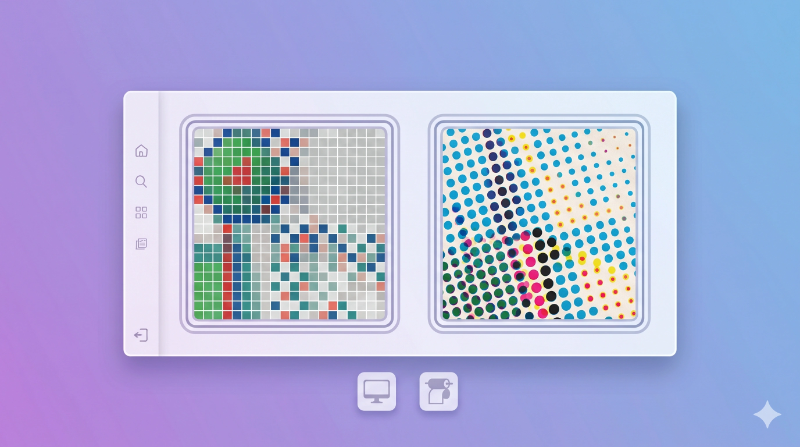
If you’ve ever printed a photo and it came out blurry, someone probably told you to “check the DPI.” But what does that actually mean?
DPI is one of those terms that gets used a lot, but most people don’t fully understand it. The short answer is this: DPI matters for printing, but it doesn’t matter for screens. Let’s break it down.
What is DPI?
DPI stands for dots per inch. It tells you how many tiny dots fit into one inch of space when an image is printed. More dots means more detail, which means a sharper print.
But here’s the thing most people get wrong. DPI is only about printing. It has nothing to do with how your image looks on a screen.
Screen vs Print: The Key Difference
On Screens
Your screen doesn’t care about DPI. It only cares about pixels.
An image that’s 1080 pixels wide will look exactly the same on your monitor whether it’s set to 72 DPI or 300 DPI. The DPI number is just extra data sitting in the file. Your screen ignores it completely.
So if someone tells you to use 72 DPI for web images, you can ignore that. What matters is the pixel size.
For Printing
This is where DPI becomes important. When you print an image, the printer needs to know how closely to pack the dots on paper. At 300 DPI, you get sharp, clear prints. At 72 DPI, things look blurry and blocky up close.
The simple rule? If it’s going to be printed and held in someone’s hands, use 300 DPI.
How to Calculate Print Size
Here’s a simple formula:
Image Width (pixels) ÷ DPI = Print Width (inches)
For example, if you have a 3000 pixel wide photo and you print it at 300 DPI:
3000 ÷ 300 = 10 inches wide
That same image at 150 DPI would print at 20 inches, but with less sharpness.
Common DPI Standards
-
72 DPI - The old web standard. You’ll still hear people mention it, but it doesn’t matter for modern screens. Focus on pixel size instead.
-
150 DPI - Good for large prints like posters or banners that people view from a distance. You won’t notice the lower detail from a few feet away.
-
300 DPI - The best option for anything you hold in your hands. Brochures, business cards, photo prints. This is what print shops expect.
When Does DPI Actually Matter?
It matters when you’re printing:
- Photos for frames or albums
- Brochures, flyers, or business cards
- Posters or marketing materials
- Any design work going to a print shop
It doesn’t matter when you’re working with:
- Websites and blogs
- Social media posts
- Mobile apps
- Anything that only lives on a screen
💡 Pro Tip
You can’t just increase the DPI setting and expect a better image. If your photo is 500 pixels wide, setting it to 300 DPI won’t add more detail. It will just print smaller (about 1.7 inches wide). To get a bigger and sharper print, you need a higher resolution image from the start.
FAQs
Does DPI affect image quality on screen?
No. Screens show images pixel by pixel, and the DPI setting in your file is ignored. If your image looks good on screen, it’s because it has enough pixels, not because of DPI.
What DPI should I use for printing?
For anything people will hold in their hands, use 300 DPI. For large prints like posters that are viewed from a distance, 150 DPI is fine.
Can I increase DPI without losing quality?
Only if the image already has enough pixels. You can’t create detail that isn’t there. Increasing DPI on a small image just makes the print smaller, not sharper.
Conclusion
Here’s the simple rule: DPI is for printers, pixels are for screens. If you’re building a website or posting on social media, forget about DPI and focus on pixel size. If you’re printing, make sure you have enough pixels to support 300 DPI at the size you need.
🚀 Check Your Image DPI
Want to know your image’s DPI instantly?
👉 Use our DPI Checker tool to find out for free.